Introducing JavaScript !!
JavaScript is space to learn with JavaScript.
Contents
Table of Contents
| No | Title | Remarks |
|---|---|---|
| 0 | 환경설정 | JavaScript환경셋팅 |
| 1 | 문법 | 문법핵심 |
Get Started(JavaScript)
1. 크롬 개발자 도구
① 개발자 관점 : 크롬 개발자 도구
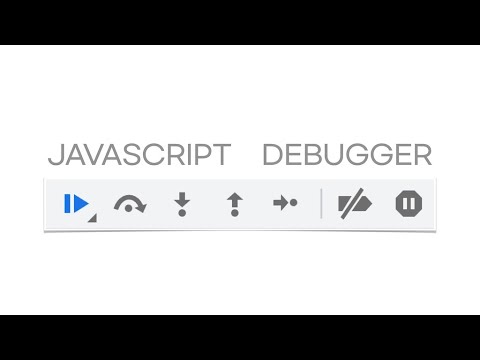
- 자바스크립트 디버그
② 디자이너 관점 : 크롬 개발자 도구
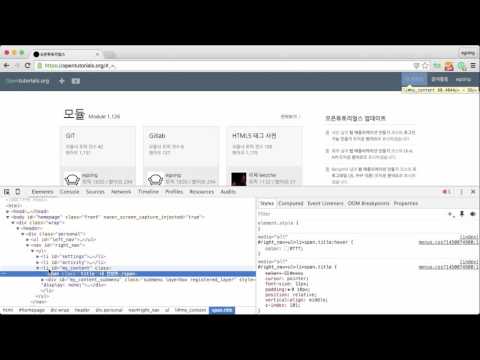
- 크롬 개발자 도구로, 똑똑하게 웹사이트 참고하는 법 (+기본 HTML, CSS) ← 디자이너 관점

- 크롬개발자도구 블로그
2. 크롬 개발자 도구 React 플러그 인 설치
3. 코드 스타일 도구(Prittier) 설치
{
    "singleQuote": true,
    "semi": true,
    "useTabs": false,
    "tabWidth": 2,
    "printWidth": 80,
    "arrowParens": "avoid"
}
JavaScript core grammar
JavaScript에서 꼭 알고 있어야 하는 내용.
0. 사전 스터디
벨로퍼트와 함께하는 모던 자바스크립트 : 자바스크립트 핵심 영역(필독)
객체안에 함수 넣기
const dog = {
  name: '멍멍이',
  sound: '멍멍!',
  say: function say() {
    console.log(this.sound);
  }
};

dog.say();
const dog = {
  name: '멍멍이',
  sound: '멍멍!',
  say: function() {
    console.log(this.sound);
  }
};

dog.say();
const dog = {
  name: '멍멍이',
  sound: '멍멍!',
  say: () => {
    console.log(this.sound);
  }
};

dog.say();
- 배열에 새 항목 추가하기
const objects = [{ name: '멍멍이' }, { name: '야옹이' }];

objects.push({
  name: '멍뭉이'
});

console.log(objects);
- 객체의 정보를 배열 형태로 받아올 수 있는 함수
const doggy = {
  name: '멍멍이',
  sound: '멍멍',
  age: 2
};

console.log(Object.entries(doggy));
console.log(Object.keys(doggy));
console.log(Object.values(doggy));
- 반복문,map, 변화함수
const array = [1, 2, 3, 4, 5, 6, 7, 8];

const square = n => n * n;
const squared = array.map(square);
console.log(squared);


const squared1 = array.map(n => n * n);
console.log(squared1);
- 함수의 파라미터가 몇개가 될 지 모르는 상황에서 rest 파라미터를 사용하면 매우 유용
function sum(...rest) {
  return rest.reduce((acc, current) => acc + current, 0);
}
const result = sum(1, 2, 3, 4, 5, 6);
console.log(result); // 21
- Truthy and Falsy
  function print(person) {
  if (person === undefined || person === null) {
    console.log('person이 없네요');
    return;
  }
  console.log(person.name);
}

const person = null;
print(person);
function print(person) {
  if (!person) {
    console.log('person이 없네요');
    return;
  }
  console.log(person.name);
}

const person = null;
print(person);

console.log(!undefined);
console.log(!null);
console.log(!0);
console.log(!'');
console.log(!NaN);
- 단축 평가 (short-circuit evaluation) 논리 계산법
console.log(true && 'hello'); // hello
console.log(false && 'hello'); // false
console.log('hello' && 'bye'); // bye
console.log(null && 'hello'); // null
console.log(undefined && 'hello'); // undefined
console.log('' && 'hello'); // ''
console.log(0 && 'hello'); // 0
console.log(1 && 'hello'); // hello
console.log(1 && 1); // 1
const namelessDog = {
  name: ''
};

function getName(animal) {
  const name = animal && animal.name;
  return name || '이름이 없는 동물입니다.';
}

const name = getName(namelessDog);
console.log(name); // 이름이 없는 동물입니다.
- 조건문 스마트하게 만들기
function makeSound(animal) {
  const tasks = {
    개() {
      console.log('멍멍');
    },
    고양이() {
      console.log('고양이');
    },
    비둘기() {
      console.log('구구 구 구');
    }
  };
  if (!tasks[animal]) {
    console.log('...?');
    return;
  }
  tasks[animal]();
}

getSound('개');
getSound('비둘기');
- Deep Copy vs Shallow Copy


자바스크립트는 원시값은 deep copy로 하고, 객체는 shallow copy 함
const person = {
  name : 'sunho',
  age : 25
}

# 객체도 Deep Copy 하기 위한 소스
let personCopy = {...person}
# 가장 간단하게 Deep Copy → JSON.parse(JSON.stringify
const arr = [a,b,c];
const arr1 = JSON.parse(JSON.stringify(arr))


const a = 'b';
const c = ['d', true, 1];
const e = {g: 'h'};
const i = [{j:'k'},{1:'m'}];
const n = {o: {p: 'q'}};

const a1 = a;
const c1 = [...c]
const e1 = {...e}
const i1 = JSON.parse(JSON.stringify(i))
const n1 = JSON.parse(JSON.stringify(n))
- 자바스크립트 JavaScript 입문 초급 실전 3 - map,filter, reduce

1. 함수형 프로그래밍
- 함수형 프로그래밍 특징
함수형 프로그램밍 이 멀티 쓰레드 환경에서 side-Effect(함수를 호출하면 외부의 상태가 변경되거나 예상치 못한 에러가 발생하는)를 줄여서 하려면 함수형 프로그래밍 특징 → 불변성
- 함수형프로그래밍이 대세다?! (함수형 vs 객체지향)

- 함수선언식vs함수표현식
- 함수 표현식, 화살표 함수(arrow function)
// 1. 함수선언문
function add(x, y){
	return x+y;
}

// 2. 함수표현식
const add = function b(x, y){
	return x+y;
}

// 3.화살표 함수 방식(ES6)
const add = (x,y) => (x+y)
const add = (x,y) => x+y
- Prototype :객체 생성자 함수 아래에
.prototype.[원하는키] =코드를 입력하여 설정
function Animal(type, name, sound) {
  this.type = type;
  this.name = name;
  this.sound = sound;
}

Animal.prototype.say = function() {
  console.log(this.sound);
};
Animal.prototype.sharedValue = 1;

const dog = new Animal('개', '멍멍이', '멍멍');
const cat = new Animal('고양이', '야옹이', '야옹');

dog.say();
cat.say();

console.log(dog.sharedValue);
console.log(cat.sharedValue);
function Car() {
  this.power = false;
  this.position = 0;
}

Car.prototype.start = function() {
  this.power = true;
  console.log('자동차 시동');
}

Car.prototype.moveTo = function(position) {
  console.log(`자동차 이동 = 현재 위치: {${this.position}}`);
  if (!this.power) {
    console.log('자동차의 시동이 꺼져있습니다.');
    return;
  }
  this.position = position;
  console.log(`자동차 이동 = 이동 위치: {${this.position}}`);
}
const car = new Car();
car.start();
car.moveTo(10);
- 객체 생성자 상속받기
새로 만든 Dog 와 Cat 함수에서 Animal.call 을 호출해주고 있는데요, 여기서 첫번째 인자에는 this 를 넣어주어야 하고, 그 이후에는 Animal 객체 생성자 함수에서 필요로 하는 파라미터를 넣어주어야 합니다. 추가적으로 prototype 을 공유해야 하기 때문에 상속받은 객체 생성자 함수를 만들고 나서 prototype 값을 Animal.prototype 으로 설정
function Animal(type, name, sound) {
  this.type = type;
  this.name = name;
  this.sound = sound;
}

Animal.prototype.say = function() {
  console.log(this.sound);
};
Animal.prototype.sharedValue = 1;

function Dog(name, sound) {
  Animal.call(this, '개', name, sound);
}
Dog.prototype = Animal.prototype;

function Cat(name, sound) {
  Animal.call(this, '고양이', name, sound);
}
Cat.prototype = Animal.prototype;

const dog = new Dog('멍멍이', '멍멍');
const cat = new Cat('야옹이', '야옹');

dog.say();
cat.say();
2. 구조분해 & Template 문법
- 자바스크립트-문법-비구조화-할당
- prototype
- 자바스크립트 객체, 구조분해할당

- 파라미터 단계에서 객체 비구조화 할당
# 비구조화 할당 아닐때..
const ironMan = {
  name: '토니 스타크',
  actor: '로버트 다우니 주니어',
  alias: '아이언맨'
};

const captainAmerica = {
  name: '스티븐 로저스',
  actor: '크리스 에반스',
  alias: '캡틴 아메리카'
};

function print(hero) {
  const { alias, name, actor } = hero;
  const text = `${alias}(${name}) 역할을 맡은 배우는 ${actor} 입니다.`;
  console.log(text);
}

print(ironMan);
print(captainAmerica);
# 비구조화 할당 일때..
const ironMan = {
  name: '토니 스타크',
  actor: '로버트 다우니 주니어',
  alias: '아이언맨'
};

const captainAmerica = {
  name: '스티븐 로저스',
  actor: '크리스 에반스',
  alias: '캡틴 아메리카'
};

function print({ alias, name, actor }) {
  const text = `${alias}(${name}) 역할을 맡은 배우는 ${actor} 입니다.`;
  console.log(text);
}

print(ironMan);
print(captainAmerica);
3. 이벤트 드리븐 프로그래밍
- 자바스크립트 비동기 처리
A jax Web API 요청: 만약 서버쪽에서 데이터를 받와아야 할 때는, 요청을 하고 서버에서 응답을 할 때 까지 대기를 해야 되기 때문에 작업을 비동기적으로 처리합니다. 파일 읽기: 주로 서버 쪽에서 파일을 읽어야 하는 상황에는 비동기적으로 처리합니다. 암호화/복호화: 암호화/복호화를 할 때에도 바로 처리가 되지 않고, 시간이 어느정도 걸리는 경우가 있기 때문에 비동기적으로 처리합니다. 작업 예약: 단순히 어떤 작업을 몇초 후에 스케쥴링 해야 하는 상황에는, setTimeout 을 사용하여 비동기적으로 처리합니다.
# Promise.all 를 사용 할 때에는, 등록한 프로미스 중 하나라도 실패하면, 모든게 실패 한 것으로 간주합니다.
function sleep(ms) {
  return new Promise(resolve => setTimeout(resolve, ms));
}

const getDog = async () => {
  await sleep(1000);
  return '멍멍이';
};

const getRabbit = async () => {
  await sleep(500);
  return '토끼';
};
const getTurtle = async () => {
  await sleep(3000);
  return '거북이';
};

async function process() {
  const [dog, rabbit, turtle] = await Promise.all([
    getDog(),
    getRabbit(),
    getTurtle()
  ]);
  console.log(dog);
  console.log(rabbit);
  console.log(turtle);
}
# Promise.race 의 경우엔 가장 다른 Promise 가 먼저 성공하기 전에 가장 먼저 끝난 Promise 가 실패하면 이를 실패로 간주합니다. 따라서, 현재 위의 코드에서 getRabbit 에서 에러를 발생시킨다면 에러를 잡아낼 수 있지만, getTurtle 이나 getDog 에서 발생한 에러는 무시됩니다.
/*
async function process() {
  const first = await Promise.race([
    getDog(),
    getRabbit(),
    getTurtle()
  ]);
  console.log(first);
}
*/

process();
4. JavaScript 동작 순서
- 실행컨텍스트
- 호출스택
이벤트루프
- Monad란 무엇인가?