Introducing Miscellaneous !!
Miscellaneous is my miscellaneous space about IT new technology.
Contents
Table of Contents
| No | Title | Remarks |
|---|---|---|
| 1 | Python | 파이썬 |
| 2 | Jupyter | 주피터 |
| 3 | Visual Studio Code | Visual Studio Code |
| 4 | VR | Unity 가상 프로그램 |
| 5 | Jekyll | Jekyll 프로그램 |
| 6 | Algorithm | Algorithm 심화 |
| 7 | ETC | 기타 꿀 Tip |
| 8 | OracleCloud | 오라클클라우드 |
| 9 | MariaDB | 마리아DB |
VSC
VSCode-GitHub 연동
- VSCode를 설치한다.
- Git-SCM을 설치한다.
- 처음에는 이해 안됬으나.. 결과적으로 일단 먼저 Git-SCM을 깔고나서, Git-Hub 연동해야된다.
- Git-SCM설치 없이, 진행하면 VSCode에서 컴퓨터에서 Git프로그램을 찾을 수 없습니다.. 이런식의 에러 발생.
- 보기 > 명령 파레트 클릭후 명령창에 git clone이라고 입력해도 똑같은 작업할 수 있음
- 내용은 “리포지토리 URL(확인하려면 Enter키를 누르고, 취소하려면 ‘Escape’키를 누름)”
- GitHub 들어가서 내가 생성해 놓은 프로젝트 URL 복사하여 Ctrl+V. 엔터치면 부모디렉토리를 입력하라고 나옴..
- ‘GitHub에서 가져온 프로젝트 파일을 어디다가 저장할꺼야?’ 라는 얘기이므로.. 원하는 경로 적어주고 다시 Enter
Python
윈도우10, Anaconda, TensorFlow, PyCharm 환경설정
Jupyter
- .jupyter 폴더 진입
- jupyter_notebook_config.py 열기
- #c.NotebookApp.notebook_dir = ‘’ 열찾기 (179 번째 line 정도)
- ’’ 란 안에 원하는 폴더의 절대 경로 삽입. 단 \ –> / 로 변경 (c:\temp –> c:/temp)
- #c.NotebookApp.notebook_dir = ‘’ → 주석 제거

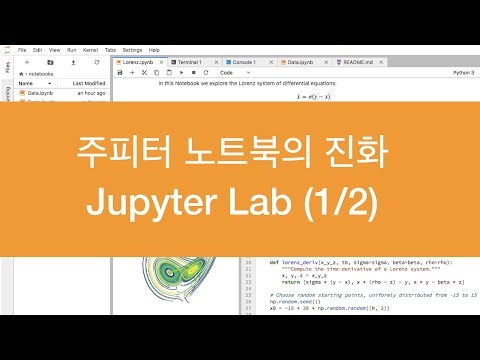
영상 촬영
Lightroom Classic
- 현상에서 작업함
화이트 밸런스 작업(스포이드) 후 대부분의 색조절 그래프에서 S자곡선
Premiere Pro
Layer 개념으로 영상/텍스트/효과음을 넣고 진행함
https://github.com/fluent/fluentd-kubernetes-daemonset
출처: https://arisu1000.tistory.com/27852 [아리수]
https://luke-tofu.tistory.com/entry/code-server-구동하기-with-Oracle-Cloud-Infrastructure
Data & Source
Table of Data & Source
| No | Title | Educational Institution | Source | Remarks |
|---|---|---|---|---|
| 1 | Jupyter | 허민석 github | Jupyter | Jupyter |
Markdown
- 마크다운 문법
- 마크다운 Table : 표는 수작업으로 만들기 힘드니까 표를 만들어주는 사이트를 쓰세요.
- 짱블로그